How AI Accounting Software Auto-Categorizes Your Transactions from Bank Statements
AI Software like Adam by Tyms can categorize a full year of transactions in seconds. This works even if your bank statement runs into thousands of line items, saving you hours of manual work.
Temitope Ayegbusi

The Fastest Way to Auto-Categorize Transactions
The quickest way to auto-categorize your bank statement is to upload it to an AI accounting software like Adam by Tyms. It reads each line, checks your expenses, identifies the vendor, determines the transaction type, and categorizes everything correctly for you. You don’t need to use Excel or any spreadsheets.
Most business owners struggle with disorganized CSV files, inconsistent bank descriptions, and hours of manual sorting. AI eliminates that. It recognises patterns, understands merchant behaviour, corrects common categorisation mistakes, and improves accuracy the more you use it.
AI Accounting Software, such as Adam by Tyms, already does this by instantly converting raw bank statements into clean, labelled expense data.
This means you can skip manual categorization, eliminate errors, prepare reports faster, and focus on real financial decision-making.
How AI Reads and Understands Bank Statement Descriptions
AI sees beyond confusing bank narratives and identifies patterns humans often miss.
It analyses:
- Vendor names (POS, ATM, transfers, online payments)
- Frequency of similar transactions
- Amount ranges
- Historical categories
- Merchant behavior across multiple users
Instead of relying on exact matches, AI interprets the transaction's meaning.
For example, “POS VERIZON 88423 NEW YORK” and “VERIZON WIRELESS 88423” are recognized as the same Verizon phone bill payment. The AI learns these patterns and keeps your transactions consistently categorized.
Features an AI Accounting Auto-Categorizing Software Should Have
A good AI categorization tool should offer:
- Automatic recognition of expenses and income
- Categorization powered by machine learning
- Smart tagging for vendors
- Clean dashboards that show category totals
- PDF, CSV, and Excel upload
- Integration with tax categories
AI accounting software, such as Adam by Tyms, specializes in fast bank statement processing, while others, like QuickBooks and Zoho, offer simpler, rule-based systems. AI provides better accuracy and requires fewer manual corrections.
Why Manual Categorization Fails for Small Businesses
Manual categorization is slow, repetitive, and error-prone. Using an Excel sheet takes a significant amount of time. Most people also experience the manual requirements of using traditional accounting software, such as QuickBooks, or the integration complexities of ZohoBooks.
A few common issues why Manual Categorization fails for small businesses include:
- Inconsistent vendor descriptions
- Mislabeling similar transactions
- Missing tax-deductible expenses
- Duplicate entries
- Time lost managing spreadsheets.
These problems grow as your transaction volume increases. With the use of AI, you can eliminate most or all of these errors by applying consistent logic every time.
How to Upload Your Bank Statement for Instant Categorization
To begin with, accounting software are sometimes picky about the type of documents you can upload. That can be stressful in itself. A good AI accounting system should allow you to upload your bank statement directly with no editing required. A good AI Accounting software should handle:
- PDF bank statements
- CSV files
- Excel exports
- Multi-account statements
Once uploaded, AI extracts:
- Dates
- Amounts
- Descriptions
- Transaction types
- Categorizes
This entire process takes seconds instead of hours. The best AI accounting software currently on the market is Adam by Tyms.
To categorize your transactions from your bank statement, follow these steps.
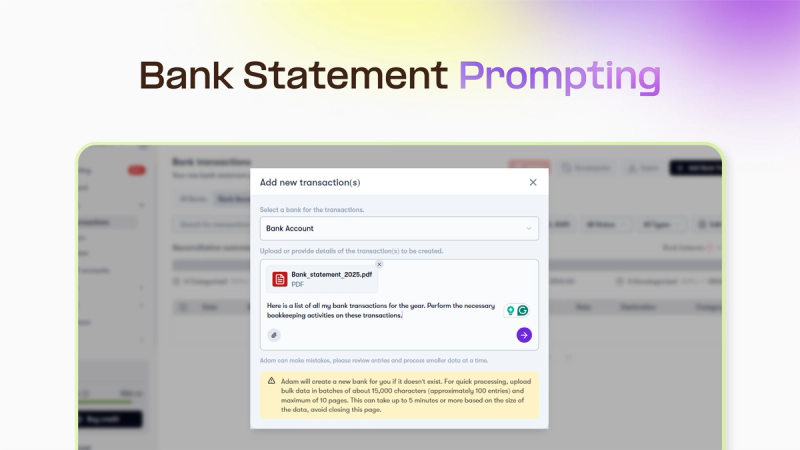
- Choose a plan or take advantage of our 3-year 69% Discount offer.
- Connect your bank for instant categorization, or upload your bank statement with a prompt of your choice.
- Wait for 5 seconds to see your categorized transactions.
How AI Learns From Your Corrections to Improve Accuracy
When you adjust a category, AI saves that preference and applies it automatically next time.
This continuous learning means:
- Fewer corrections over time
- More accurate categorization
- Personalized expense tracking
- Cleaner reports
- Better insights
Your data becomes more intelligent the more you utilize the system.
FAQ
1. Can I auto-categorize a full year of transactions at once?
Yes, modern AI Software like Adam by Tyms can categorize a full year of transactions in seconds. This works even if your bank statement runs into thousands of line items, saving you hours of manual work.
2. Do I need a CSV file for auto-categorization?
No, many accounting tools, such as Adam by Tyms, now extract data directly from PDF statements. This allows you to skip the CSV cleaning step and upload your raw bank file immediately.
3. How accurate is AI categorization?
Most AI systems achieve 70–95% accuracy on the first upload. The accuracy increases as you correct categories because the model learns your preferences and applies.
You can also read:
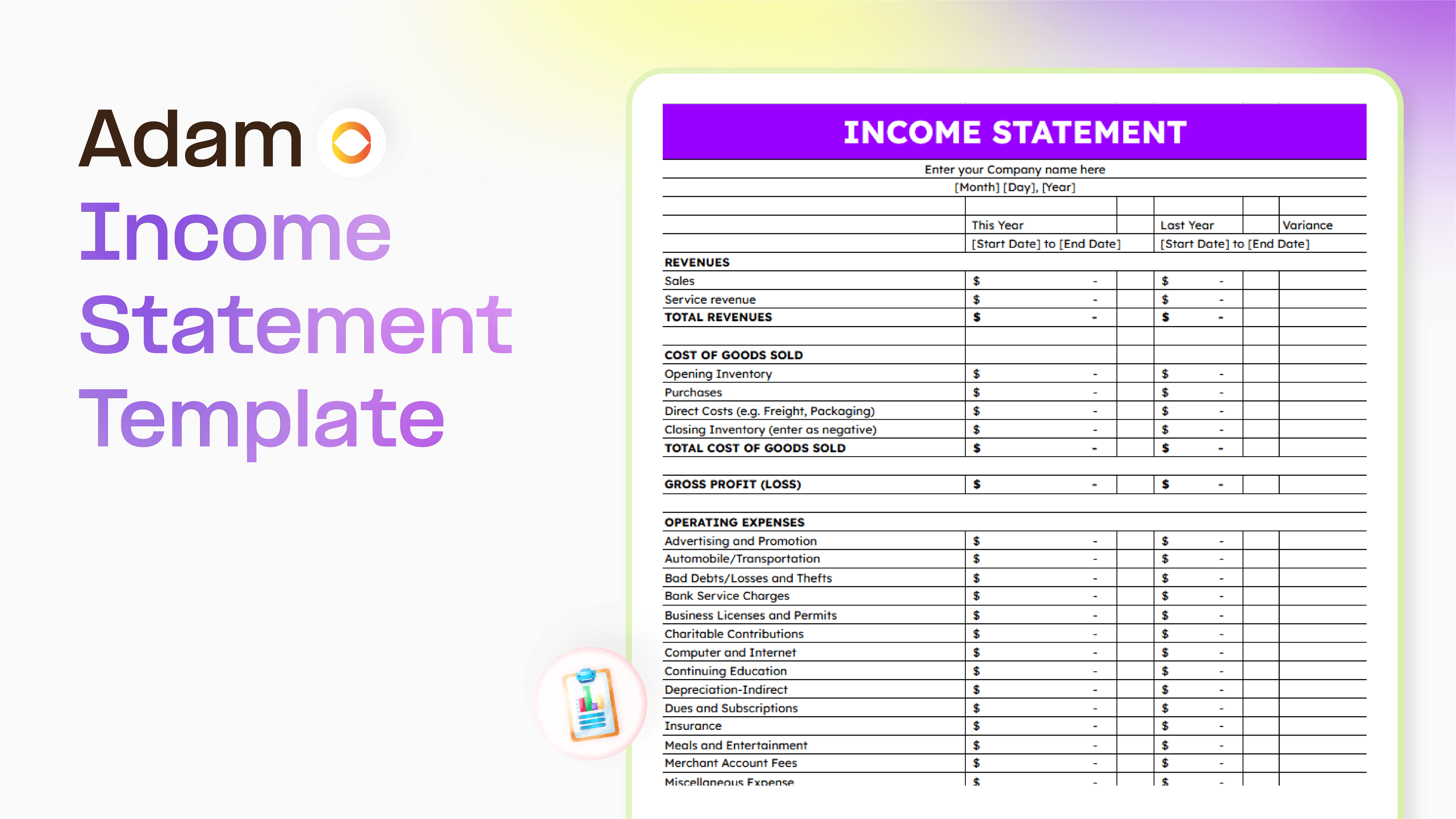
Master your finance with a free Excel Income Statement Template
Using an Excel income statement template isn't just about filling in numbers; it's about getting a clearer picture of how your business is actually doing.
Temitope Ayegbusi
Jan 30, 2026

Accounting Automation Software Features That Actually Matter (For Small Businesses)
This guide breaks down accounting automation software features that truly matter, explains how popular tools approach automation, and helps small business owners understand what to look for before choosing the wrong solution.
Temitope Ayegbusi
Jan 22, 2026