Fastest Way to Analyze Your Expenses Using AI
Discover how AI helps you analyze expenses instantly—no spreadsheets needed. Auto-categorize transactions, track spending, and make smarter financial decisions.
Temitope Ayegbusi
The Fastest Way to Analyze Your Expenses
The fastest way to analyze your expenses is to use an AI tool that automatically imports your bank statement, categorizes every transaction, and generates instant spending insights. No spreadsheets, no manual sorting, and no accountant needed.
Most small business owners waste hours each month trying to clean CSV files, label expenses, and build reports. AI removes all of that work. It reads your transactions, groups them correctly, identifies patterns, and shows you where your money is going in seconds.
Tools like Adam by Tyms already do this by auto-categorizing your expenses and presenting clean summaries instantly.
Once your transactions are categorized, AI can highlight recurring expenses, overspending, seasonality trends, tax-deductible items, and areas where your business can reduce cost.
This means you can manage cash flow with confidence and make decisions faster.
How AI Categorizes Expenses Automatically From Your Bank Statement
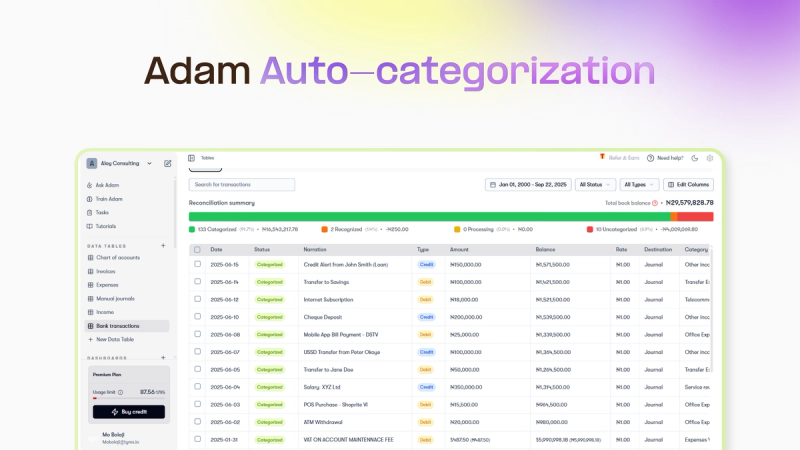
AI reads the transaction description, vendor pattern, amount type, and frequency to predict the correct category. This saves time and removes human error.
To further buttress the point, AI accounting software allows you to train the software on how it should categorize your expenses. Here is how expense categorization works.
- It looks for keywords like “POS”, “Transfer”, “ATM”, vendor names, or charges.
- It learns from your corrections, improving accuracy over time.
- AI can distinguish between personal and business expenses if patterns are consistent.
This automated process replaces the long, tiring task of labeling each transaction manually.
Once AI has categorized your expenses, it can automatically generate insights like:
- Top 5 expense categories this month
- Recurring expenses you may want to cancel
- Month-over-month spending trends
- Cash flow burn rate
- Profitability insights (if linked with revenue)
- Budget vs. actual performance
Adam by Tyms provides this insight to help you make better business decisions.
Best Tools for Quick Expense Analysis in 2025
AI-powered expense tools focus on speed, automation, and clarity. When evaluating tools, look for:
- Auto-categorization that requires zero manual sorting
- Bank statement upload or bank sync
- Instant dashboards for expense summaries
- Recurring expense detection
- Tax-level categorization for deductions
Tools like Adam by Tyms provide these features. Adam by Tyms is doing a better job than Quickbooks, zohobooks, Xero, and Freshbooks in these features.
Choosing a tool with strong AI categorization is the difference between spending hours and spending seconds.
How to Detect Wasteful Spending With AI Insights
With the use of AI accounting software, that has features like financial insight and dashboard, you can easily see a snapshot of your expenses. Looking through your expenses one after the other won’t suffice. You’ll probably burn out.
AI software like Adam by Tyms makes it easy to see where your money is actually going. It highlights:
- Unusual spikes in spending
- Duplicate charges
- Vendors you no longer use
- Non-essential recurring expenses
- Categories you should optimize
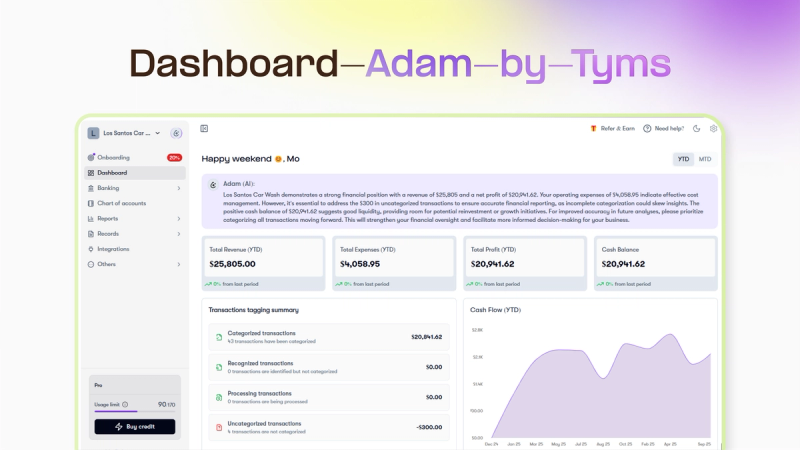
This makes it simple to cut unnecessary costs and improve cash flow quickly. Adam by Tyms provides a 69% discount offer on a 3 year plan on Adam by Tyms ? Grab the offer now.
How to Upload a Bank Statement for Instant Categorization
Upload your statement (PDF, CSV, or Excel) directly into your AI tool. A Good AI Accounting systems can detect:
- Statement format
- Transaction date
- Vendor name
- Amount
- Expense type
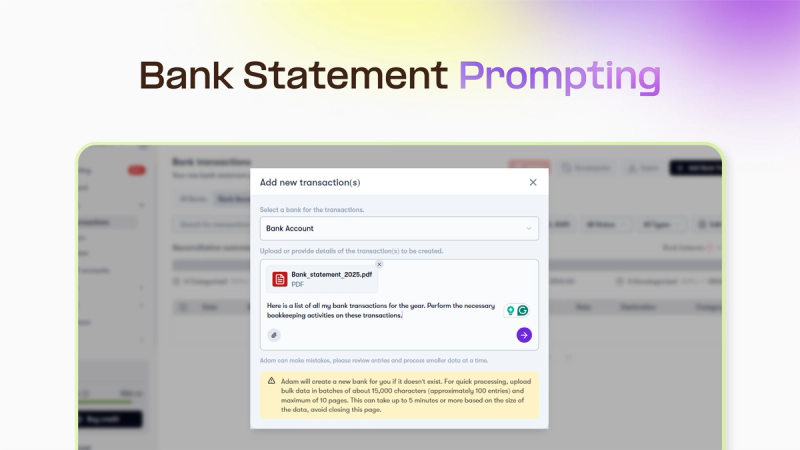
Once uploaded, the system categorizes every line automatically. This is significantly faster than manually creating tables or editing rows in Excel.
Using Adam by Tyms, follow the following steps
- Create an Account with Adam by Tyms
- Pick a plan or take the 3 year 69% Discount offer
- Connect your bank for instant categorization or Upload your bank statement with a prompt of your choice
- Wait for 5 seconds to see your categorized transactions.
It doesn’t take 5 minutes to get it done.
How AI Identifies Recurring Expenses Without Setting Rules
AI recognizes recurring patterns even when the description changes slightly—e.g., “MTN Data 4.5GB” vs “MTN 4.5GB Renewal”. It learns frequency, amount range, and vendor behavior.
This allows you to:
- Track subscriptions
- Detect silent price increases
- Group utility payments
- Prepare for monthly cash outflows
You don’t need to create any rules; AI figures it out. But in cases where the AI makes slight mistakes, using the AI training system solves such problems.
For a faster and accurate Expense Transaction, Signup on Adam by Tyms
FAQ Section
1. What is the quickest way to analyze my business expenses?
The quickest way is to upload your bank statement into an AI accounting tool like Adam by Tyms that auto-categorizes your transactions instantly. AI removes the manual work and provides insights in seconds, making it ideal for busy business owners.
2. Can AI identify recurring expenses automatically?
Yes, AI can detect recurring transactions by analyzing frequency, patterns, and vendor names. It can spot subscriptions and recurring bills even if the description changes slightly from month to month.
3. Do I still need an accountant if AI analyzes my expenses?
You still need an accountant for compliance and tax strategy, but AI drastically reduces their workload. This means faster reporting, fewer errors, and lower accounting costs for your business.
You can also read:
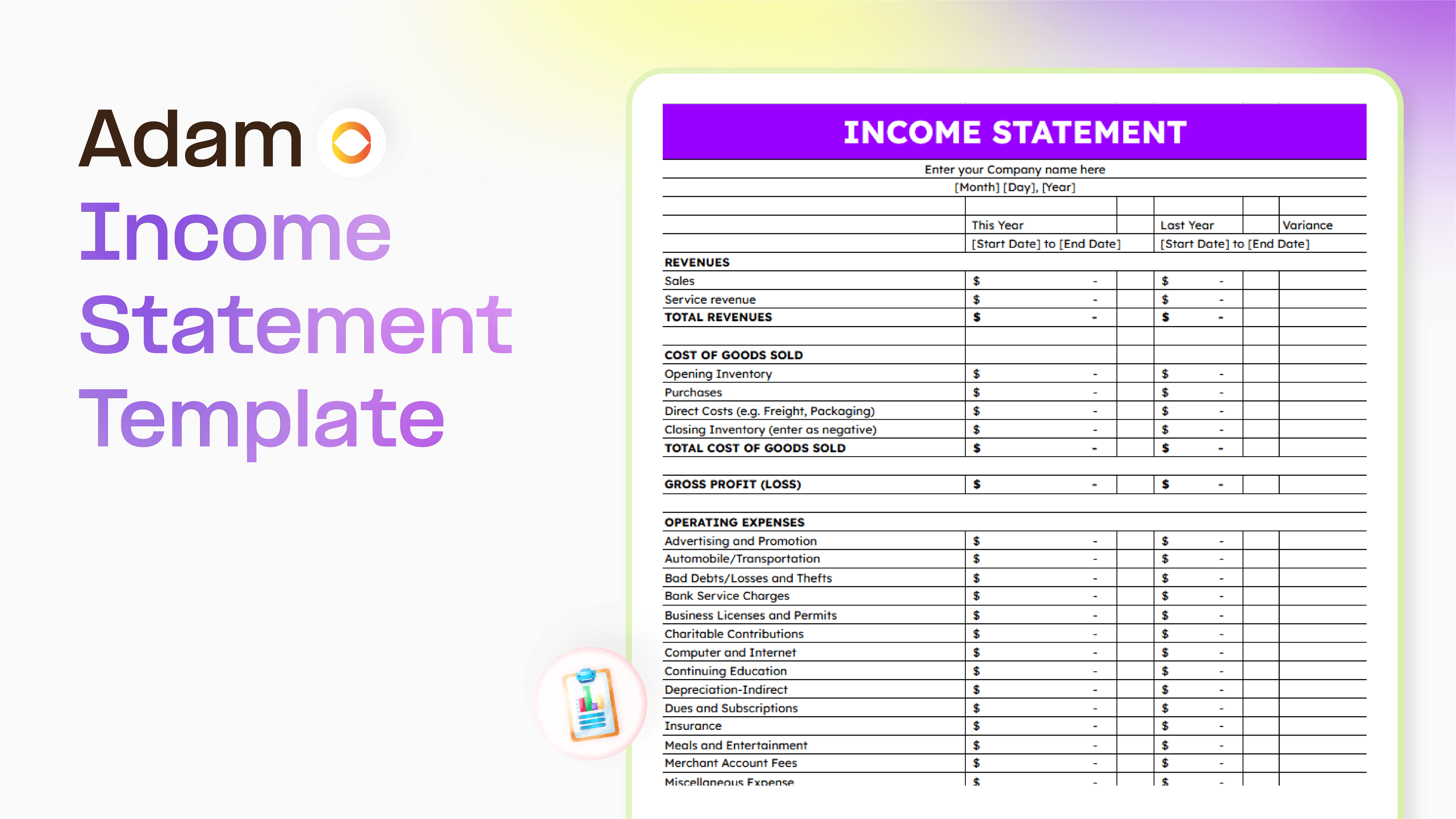
Master your finance with a free Excel Income Statement Template
Using an Excel income statement template isn't just about filling in numbers; it's about getting a clearer picture of how your business is actually doing.
Temitope Ayegbusi
Jan 30, 2026

Accounting Automation Software Features That Actually Matter (For Small Businesses)
This guide breaks down accounting automation software features that truly matter, explains how popular tools approach automation, and helps small business owners understand what to look for before choosing the wrong solution.
Temitope Ayegbusi
Jan 22, 2026